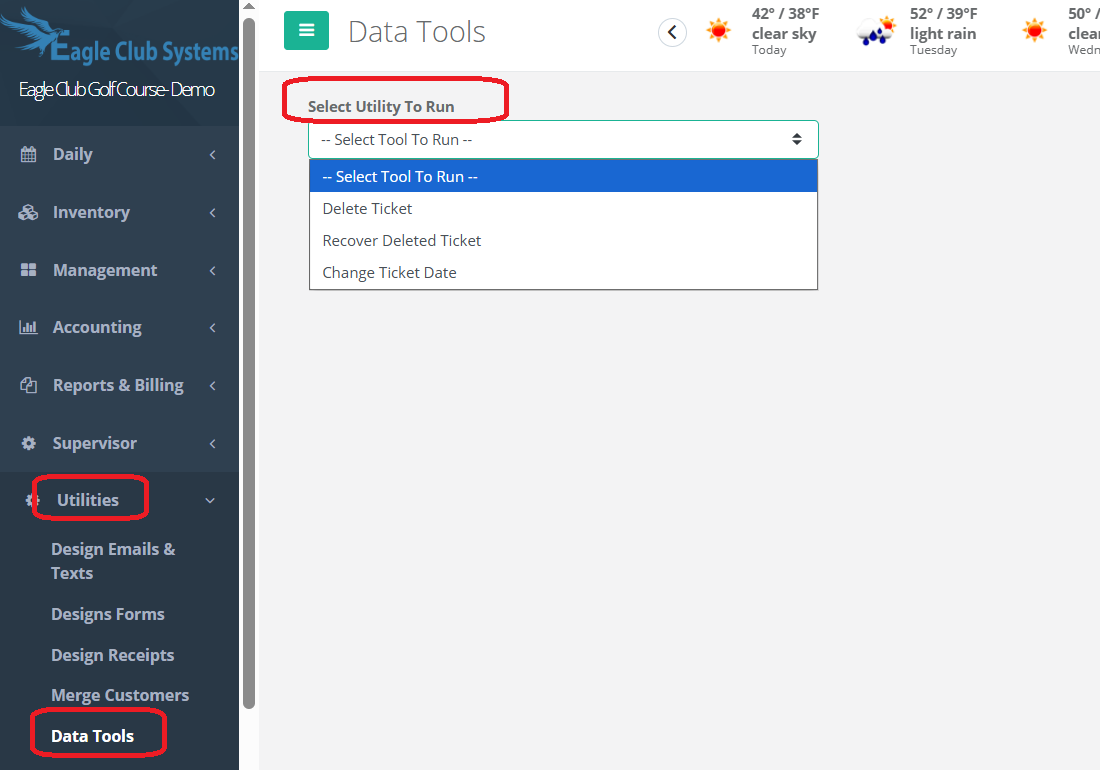
Go to Utilities, Data Tools.
Under Select Utility to Run, choose one of the following:
Delete Ticket
Recover Deleted Ticket
Change Ticket Date.
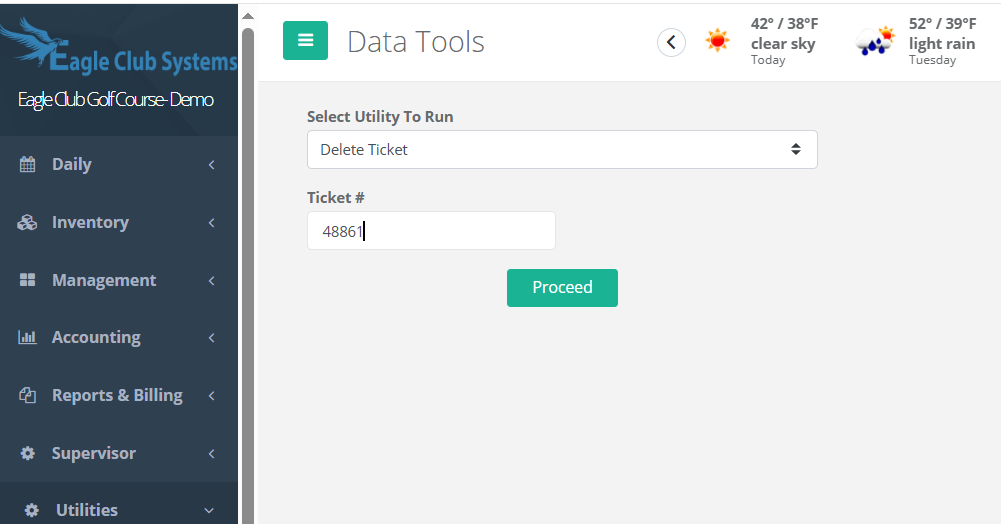
To Delete Ticket, fill in ticket number and press proceed.
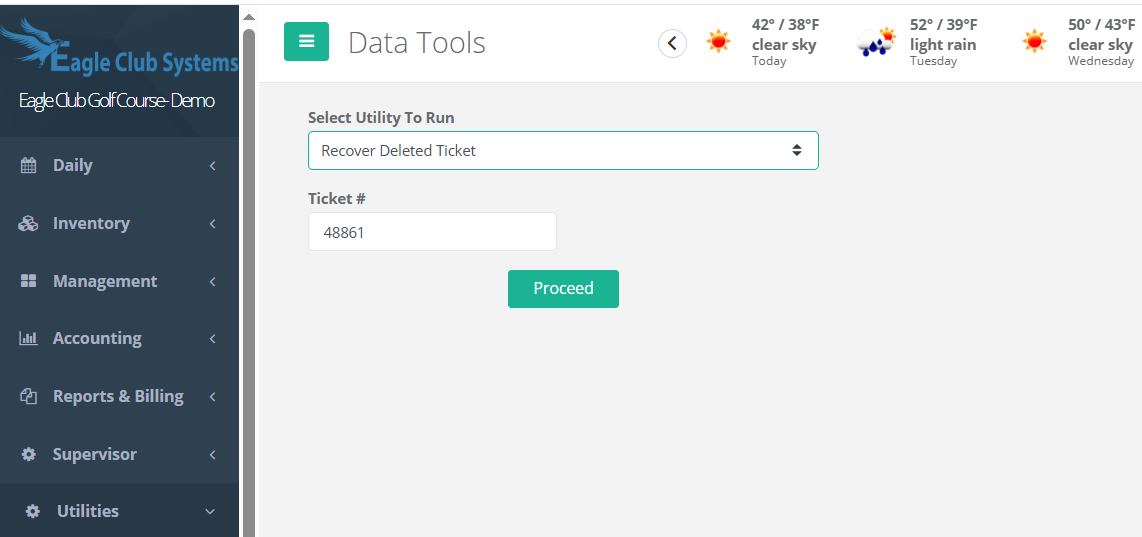
If a ticket was deleted in error, you can choose
Recover Deleted Ticket and fill in the ticket number and proceed.
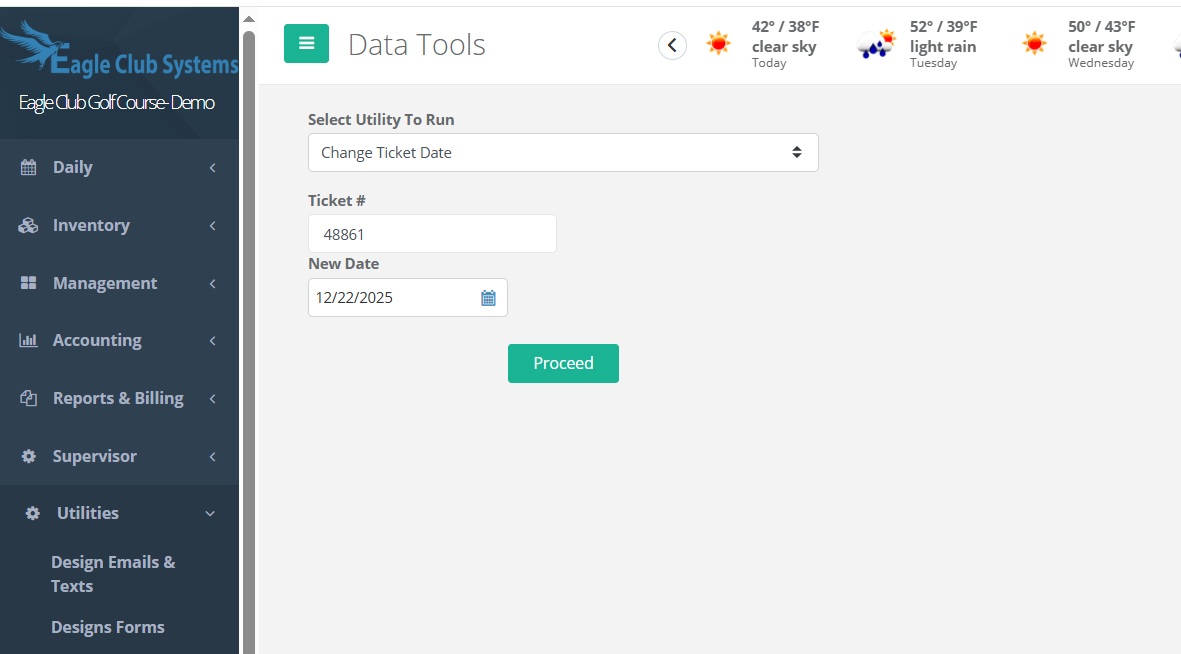
If you need to change the date on a ticket, fill in the ticket number and then the date you want it to now be. Proceed.
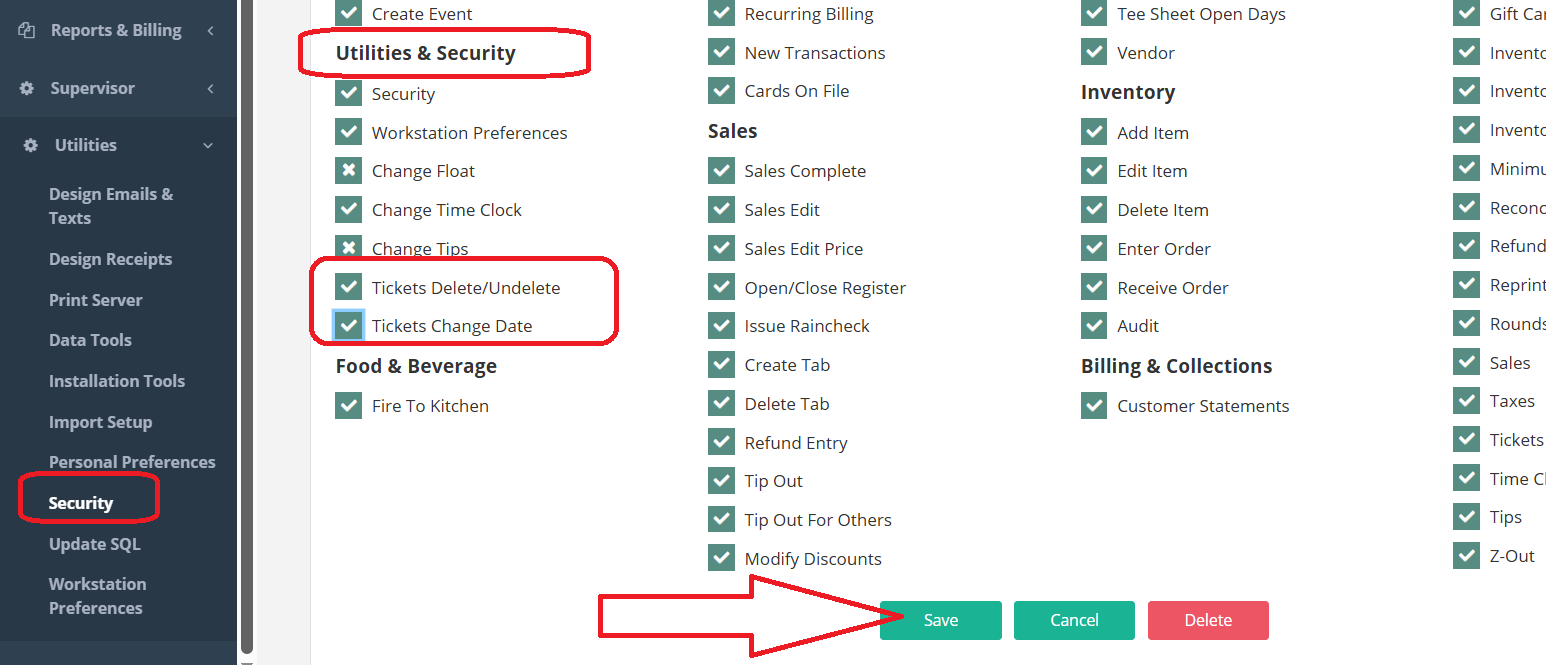
To gain access for this feature, go to Utilities, Security and Roles. Pull up Admin. Under Utilities & Security on the left side, click on Tickets/Delete/Undelete and Tickets change Date and change the X to a check mark. Save and Refresh.
Was this article helpful?
That’s Great!
Thank you for your feedback
Sorry! We couldn't be helpful
Thank you for your feedback
Feedback sent
We appreciate your effort and will try to fix the article