Updating an inventory item for Recurring Billing
If your annual or monthly billing fees change after the first of the year, you can go to inventory, products, change your price and save.
This will automatically update all of your recurring billing that is tied to that inventory item.
Go to Inventory, Products and pull up an item.
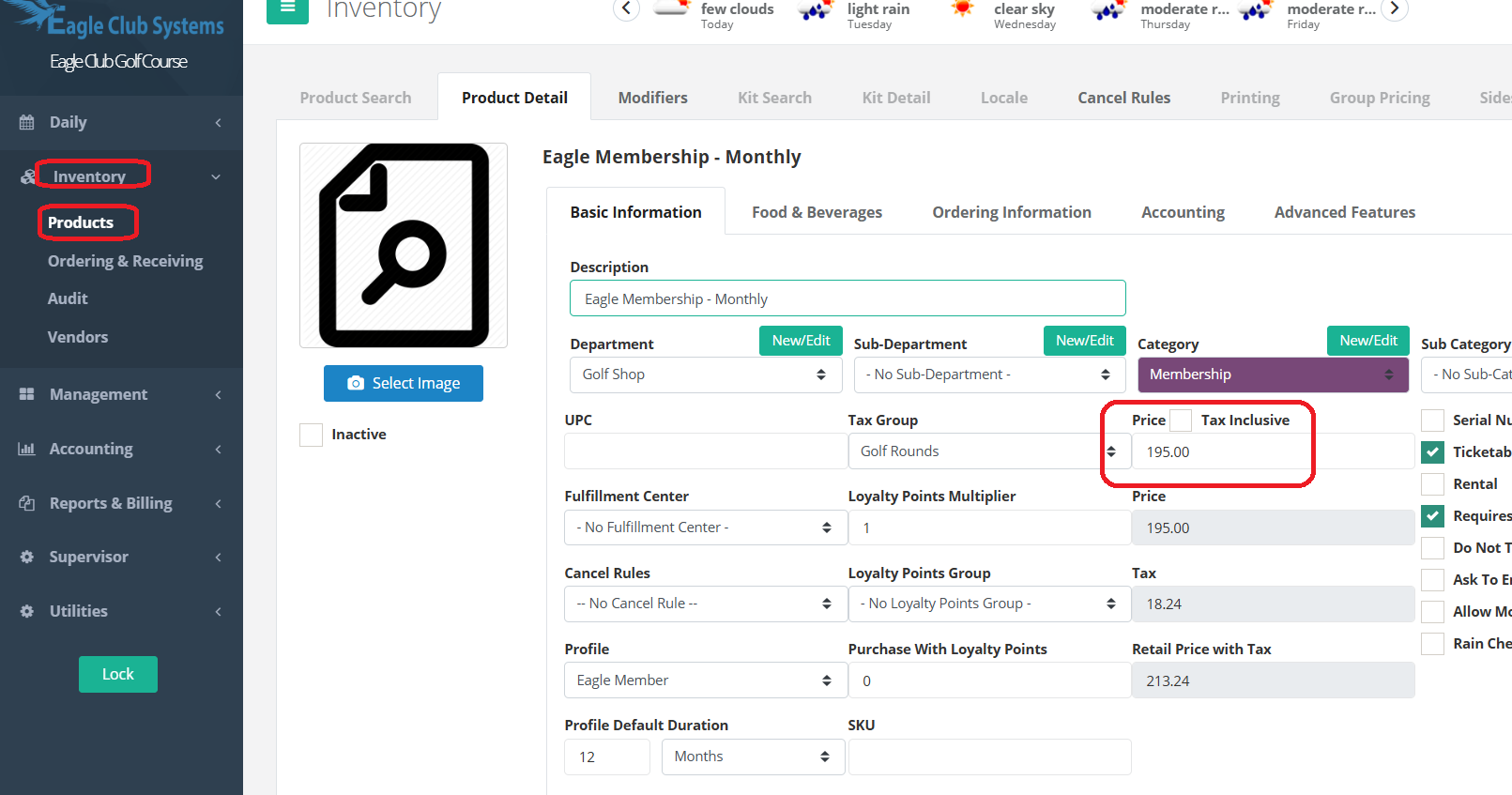
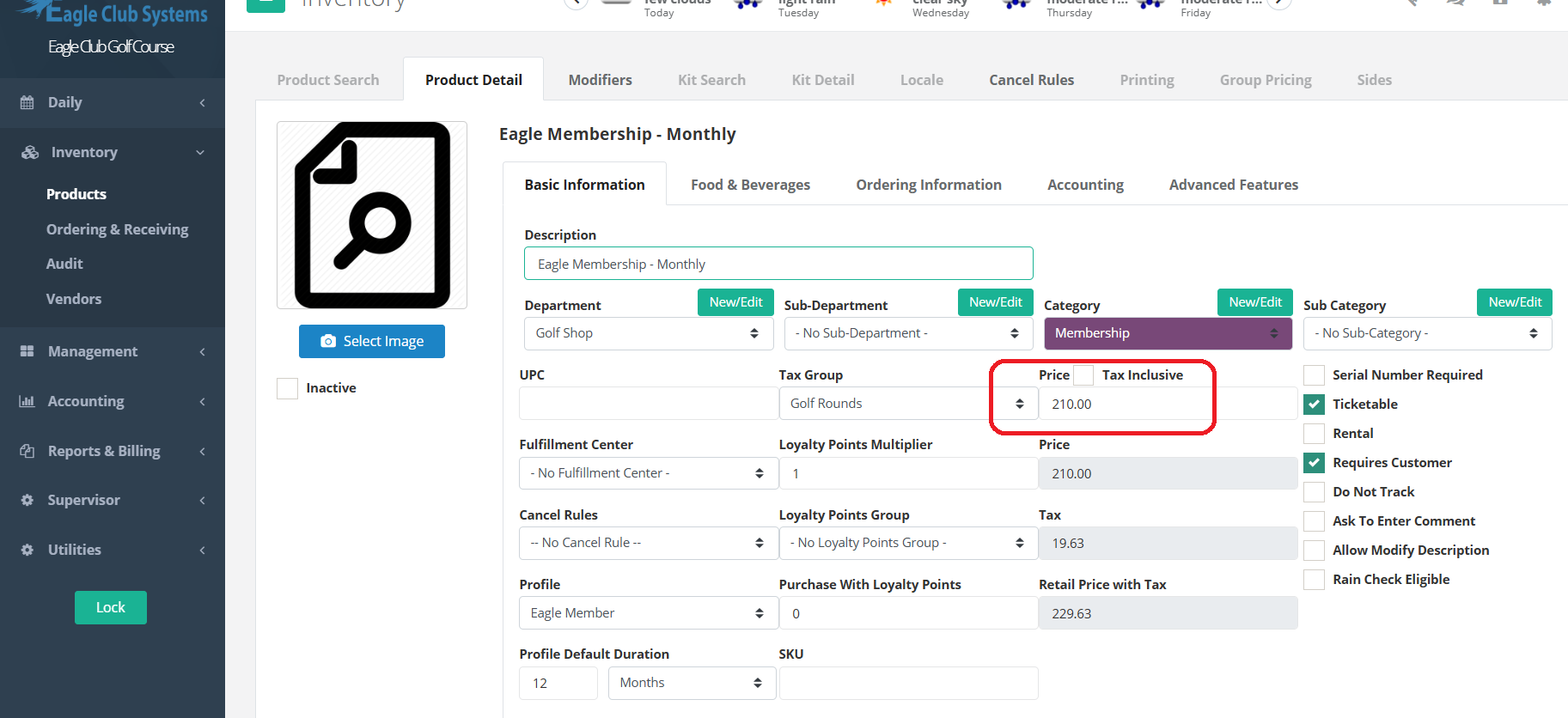
Change the price and press enter. Press Save.
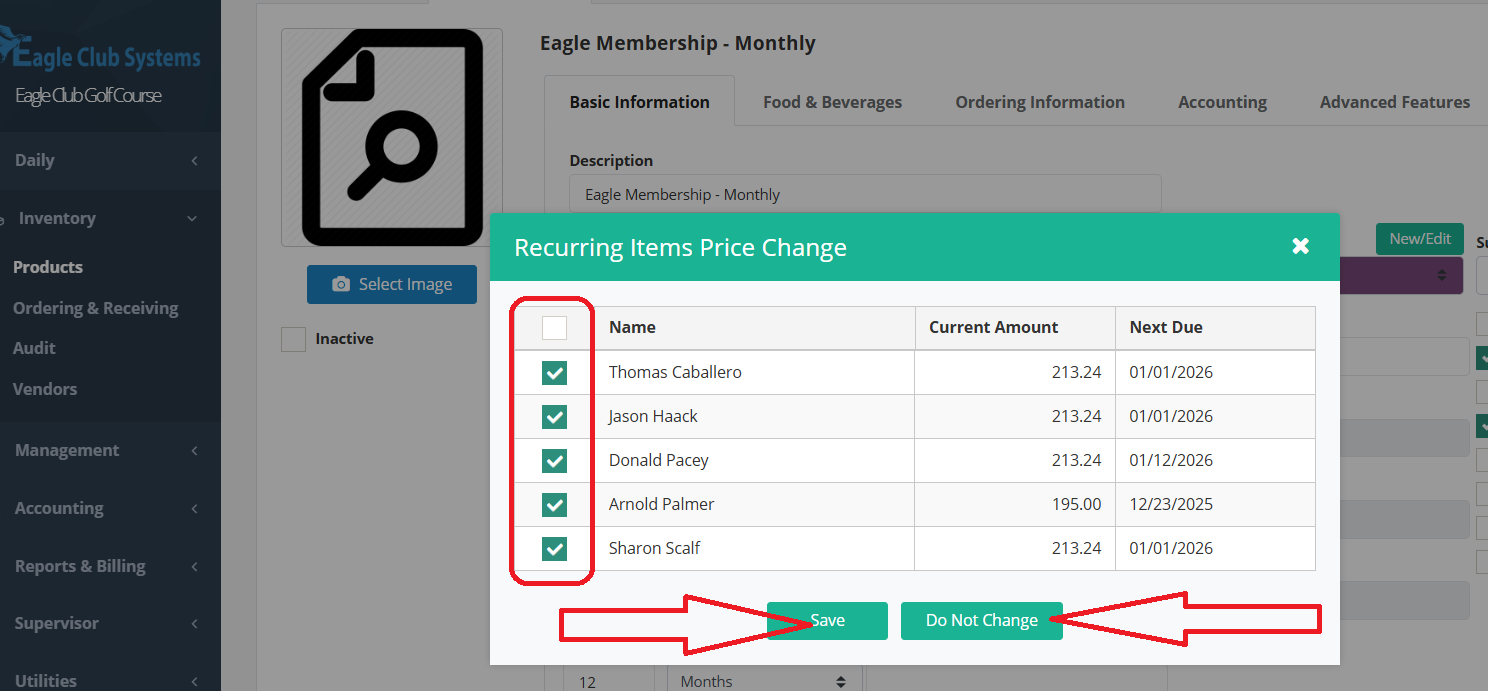
Another box will pop up with all the players that have the charge connected to their recurring billing. You can leave them all check to update all of their charges, or you can uncheck the ones you don’t want to change the price on, or you can check the box, then uncheck the box, next to the word Name to uncheck all of them.
Was this article helpful?
That’s Great!
Thank you for your feedback
Sorry! We couldn't be helpful
Thank you for your feedback
Feedback sent
We appreciate your effort and will try to fix the article