This feature allows you to open your tee sheet without using templates. This way you can apply certain intervals and turns to specific courses or "nines."
Using Quick Order Days
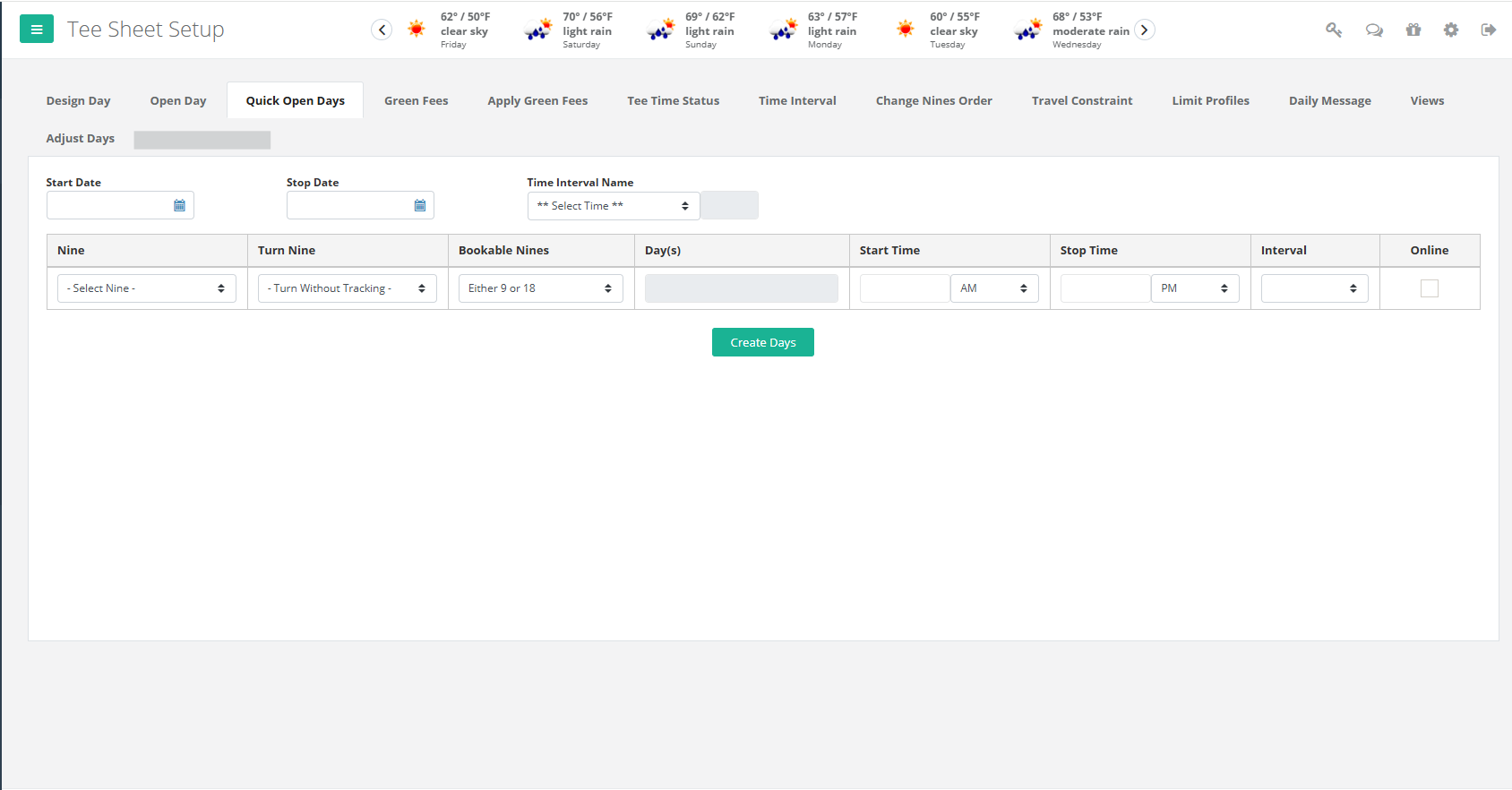
- Go to Management, then Tee Sheet, then Quick Open Days
- Select the Date Range you would like to open the tee sheet
- Choose an interval you have already created, or skip that step and enter the interval later
- Select which "Nine" to open, then select the "Turn Nine", if applicable
- Choose whether customers can book 9 or 18 holes
- Choose the days of the week this tee sheet will be opened
- Choose the start and stop times, and a time interval between tee times if you didn't earlier.
- Check the "Online" box if you would like customers to be able to book online.
- When you are finished, click "Create Days"
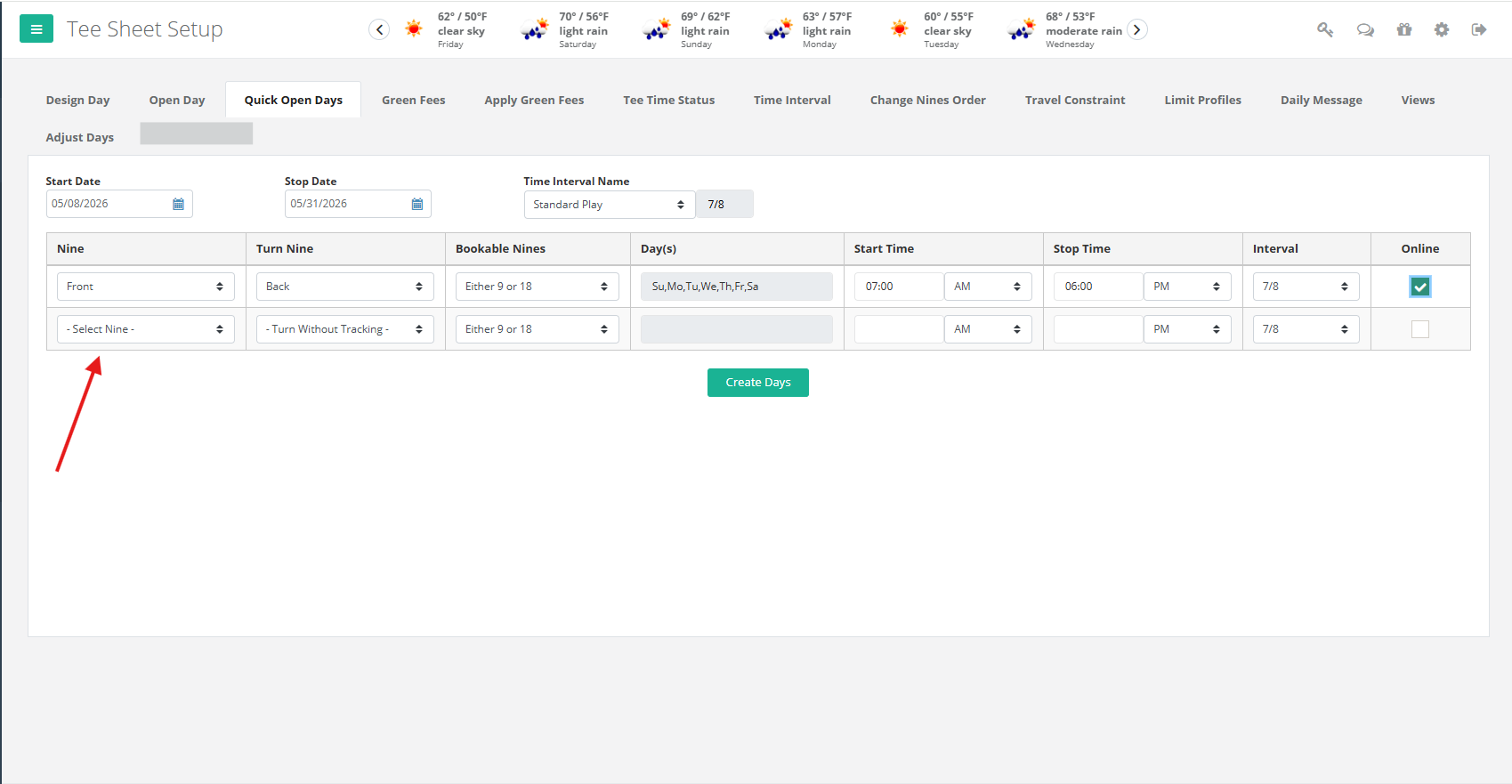
*After you choose which "Nine" to open, another row will appear directly underneath the tee sheet you are working on. You have the ability to open multiple tee sheets at once. If you do not need that row, just leave it blank.*
Applying Green Fees
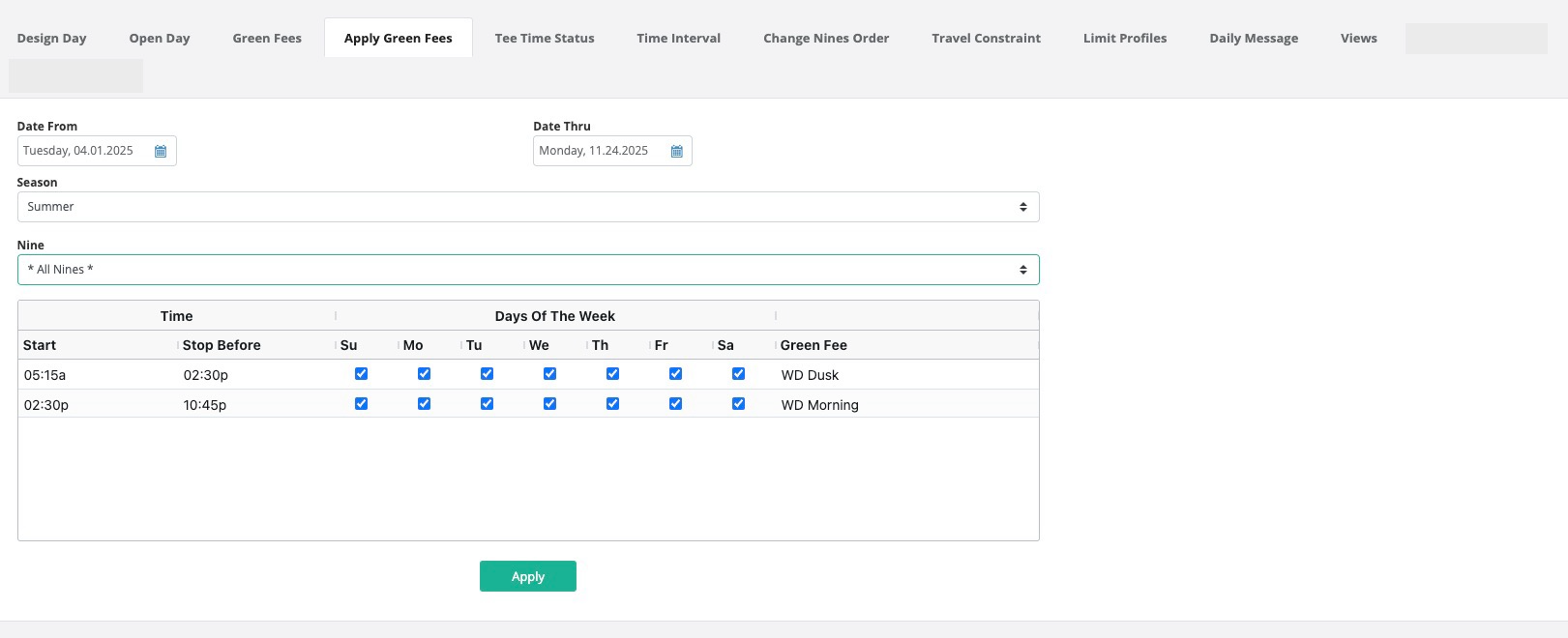
- Go to Management, Tee Sheet, Apply Green Fees
- Choose your date range
- Choose your season you want to apply to those date ranges
- Choose the nine the rates apply to or leave at "all nines" if it applies to your whole course. (Keep in mind simulators are a "nine")
- The grid you created under Season appears with the fees applied.
Was this article helpful?
That’s Great!
Thank you for your feedback
Sorry! We couldn't be helpful
Thank you for your feedback
Feedback sent
We appreciate your effort and will try to fix the article