Go to Daily, Customers. Pull up the Primary Member for the family billing. In this example, the family last name is Member, and first names of the family member are Primary, Wife and Child.
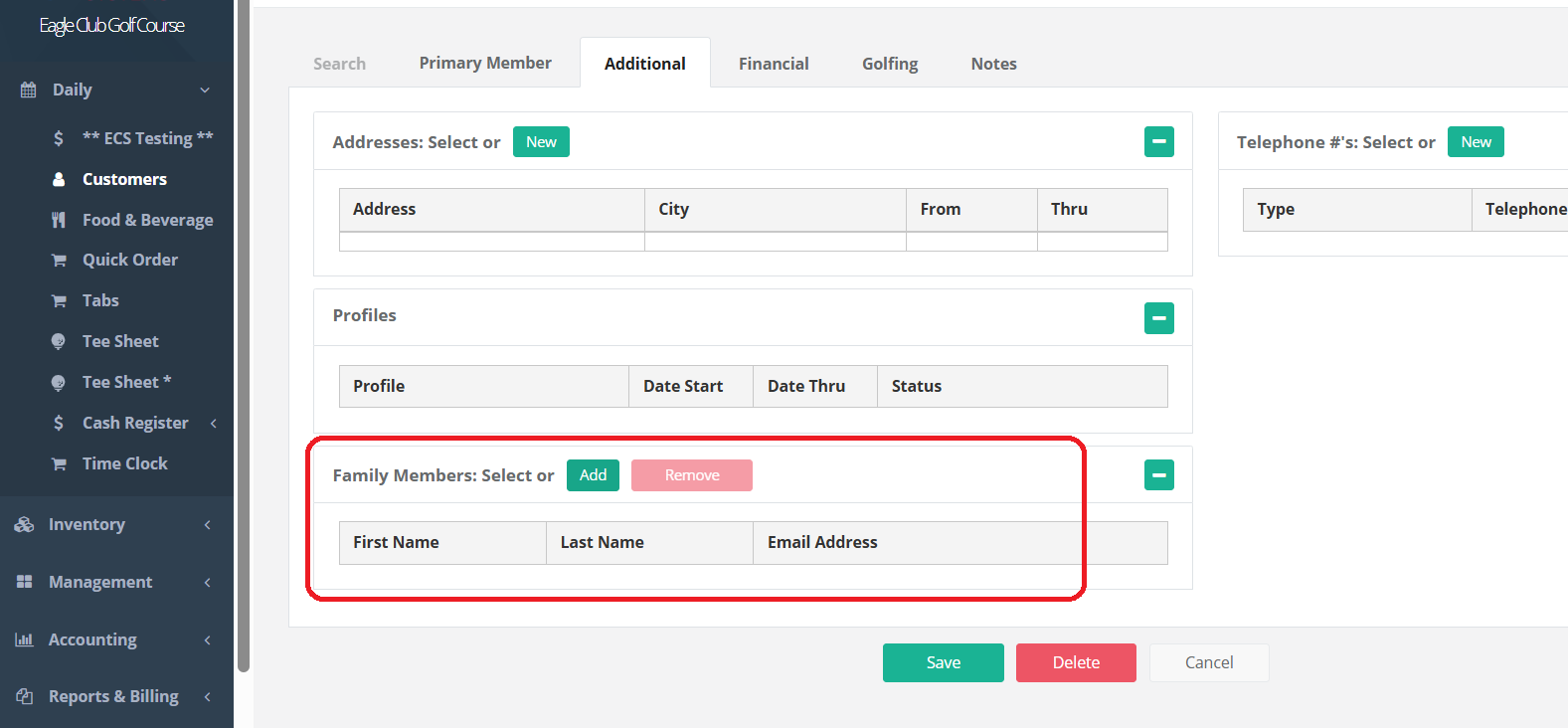
Click on Additional. Bottom, left, Family Members: Select, Add, Remove. Please note: the additional family members MUST ALREADY BE IN THE SYSTEM.
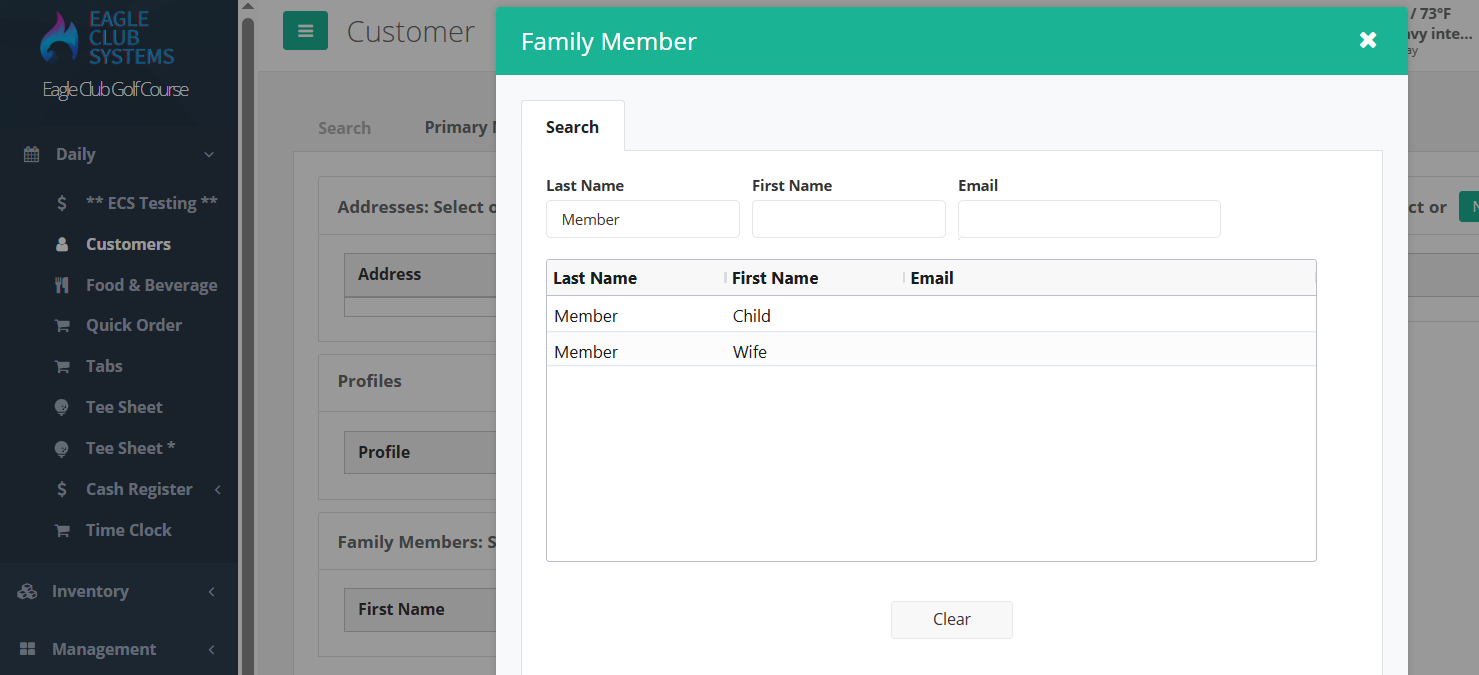
Click add. Search for the names. Click on the one you want.
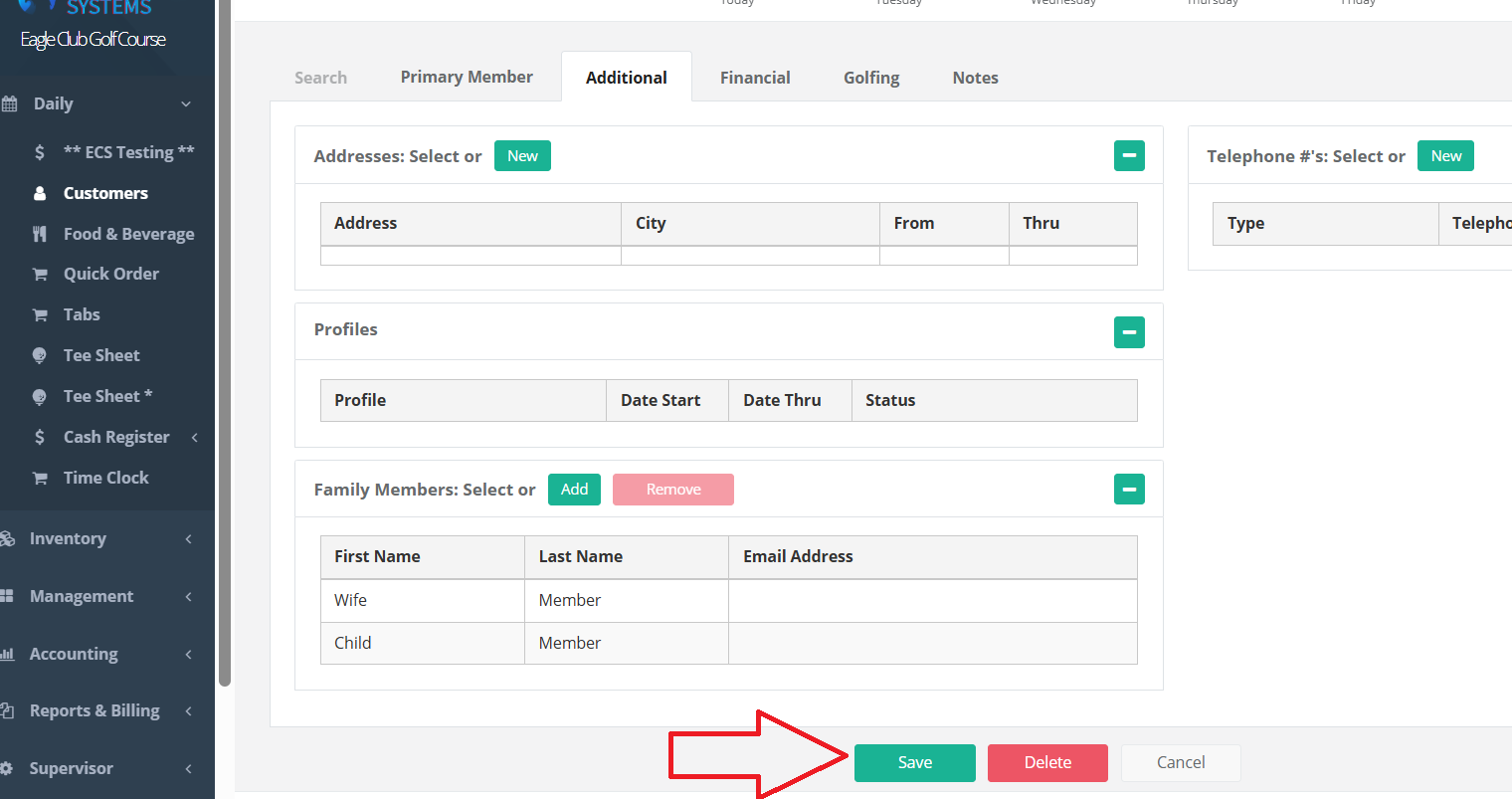
Then, SAVE the customer.
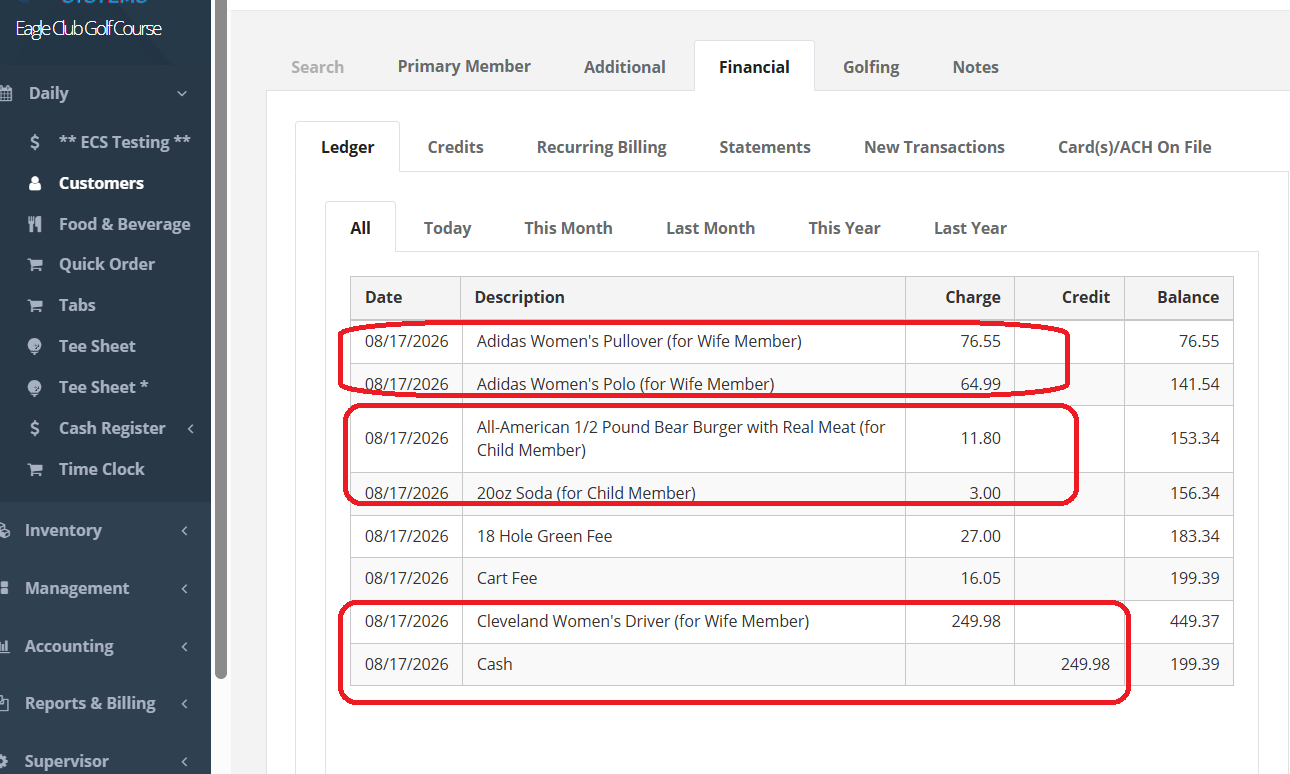
The ledger will appear as this with the names of the family member’s purchases.
The food and beverage minimums will be based on the main account holder, will all the family member’s charges rolled up into it. Each time a family member charges to their account or pays for an transaction, it will appear on the primary account members ledger.
Was this article helpful?
That’s Great!
Thank you for your feedback
Sorry! We couldn't be helpful
Thank you for your feedback
Feedback sent
We appreciate your effort and will try to fix the article