How to post a message on your Tee Sheet/Online Booking Engine
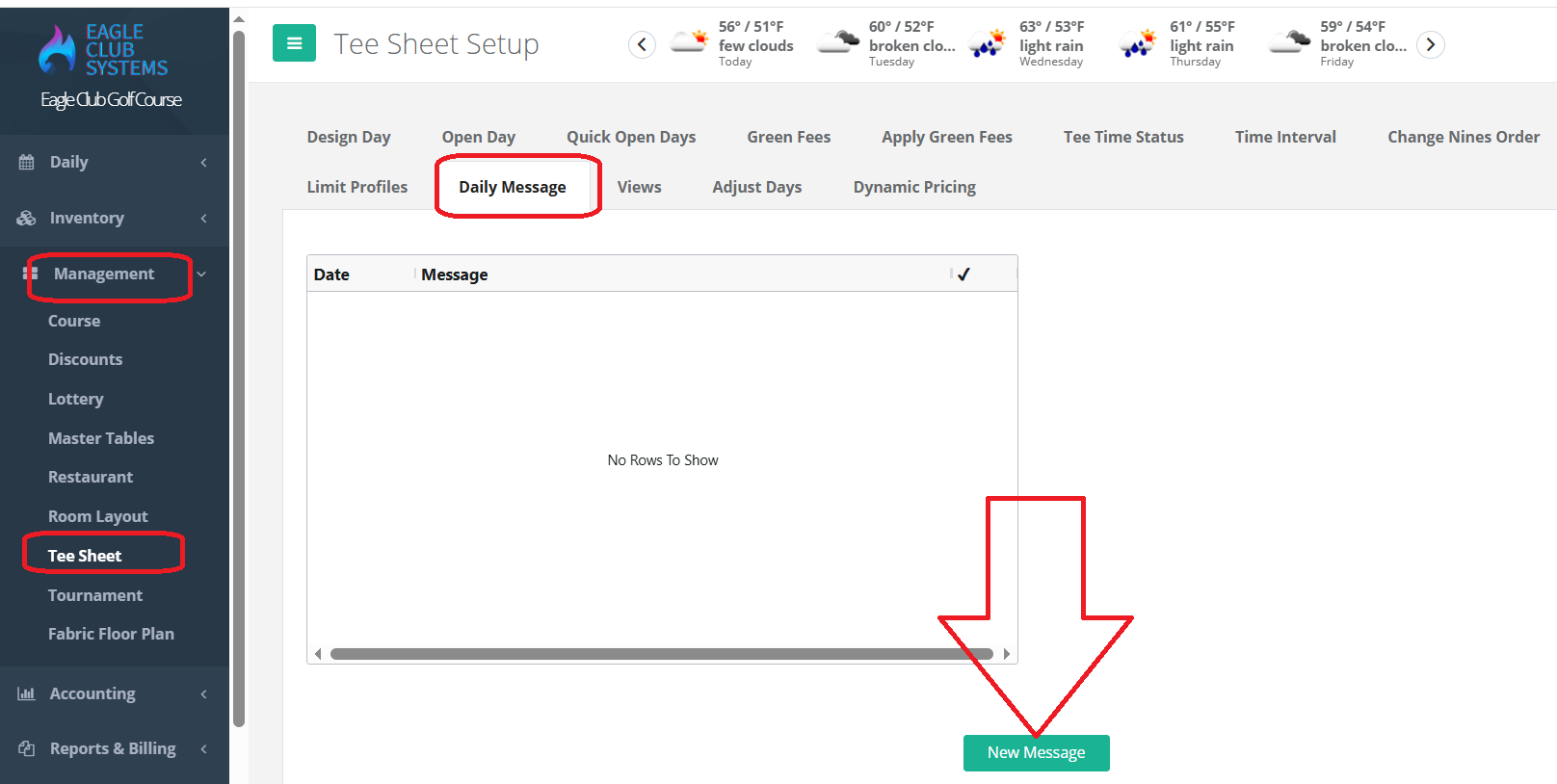
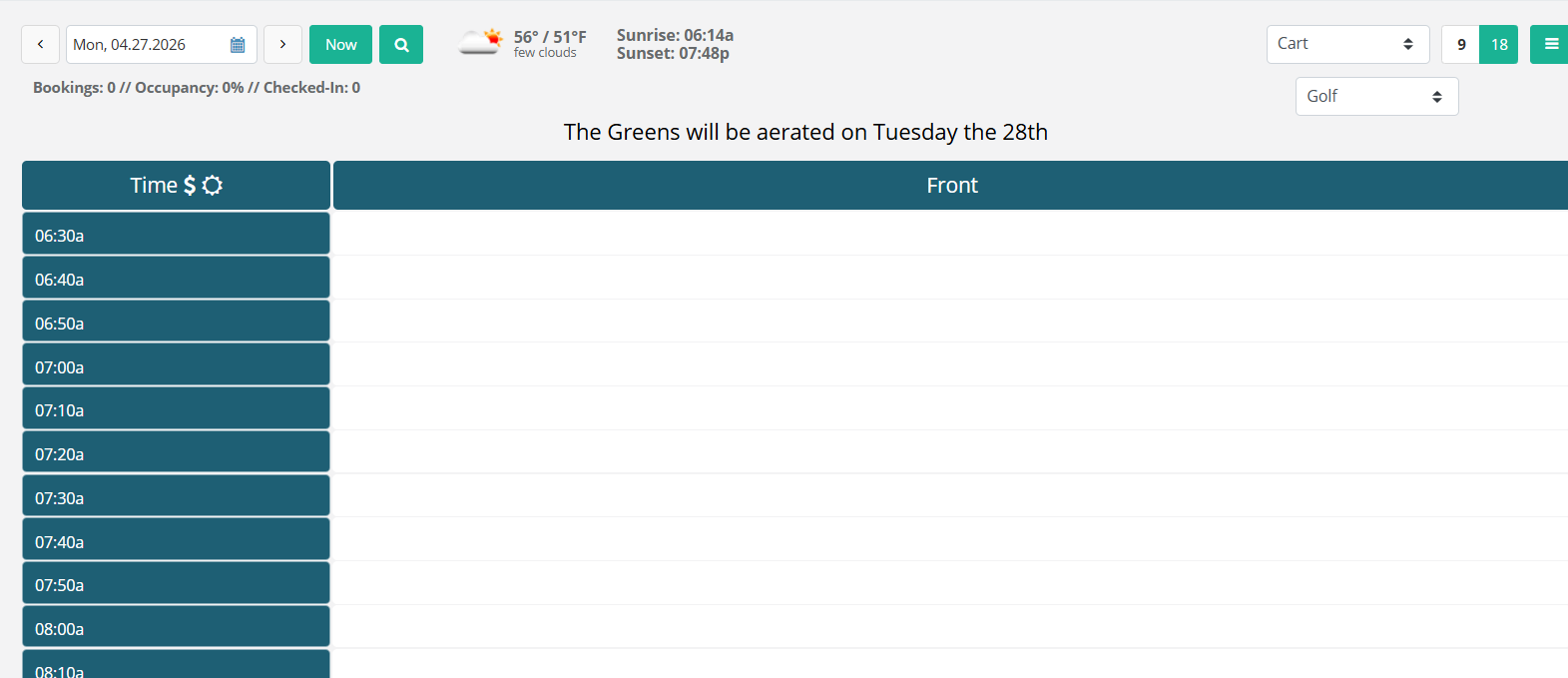
Go to Management, Tee Sheet, Daily Message.
Click on New Message. Choose your date.
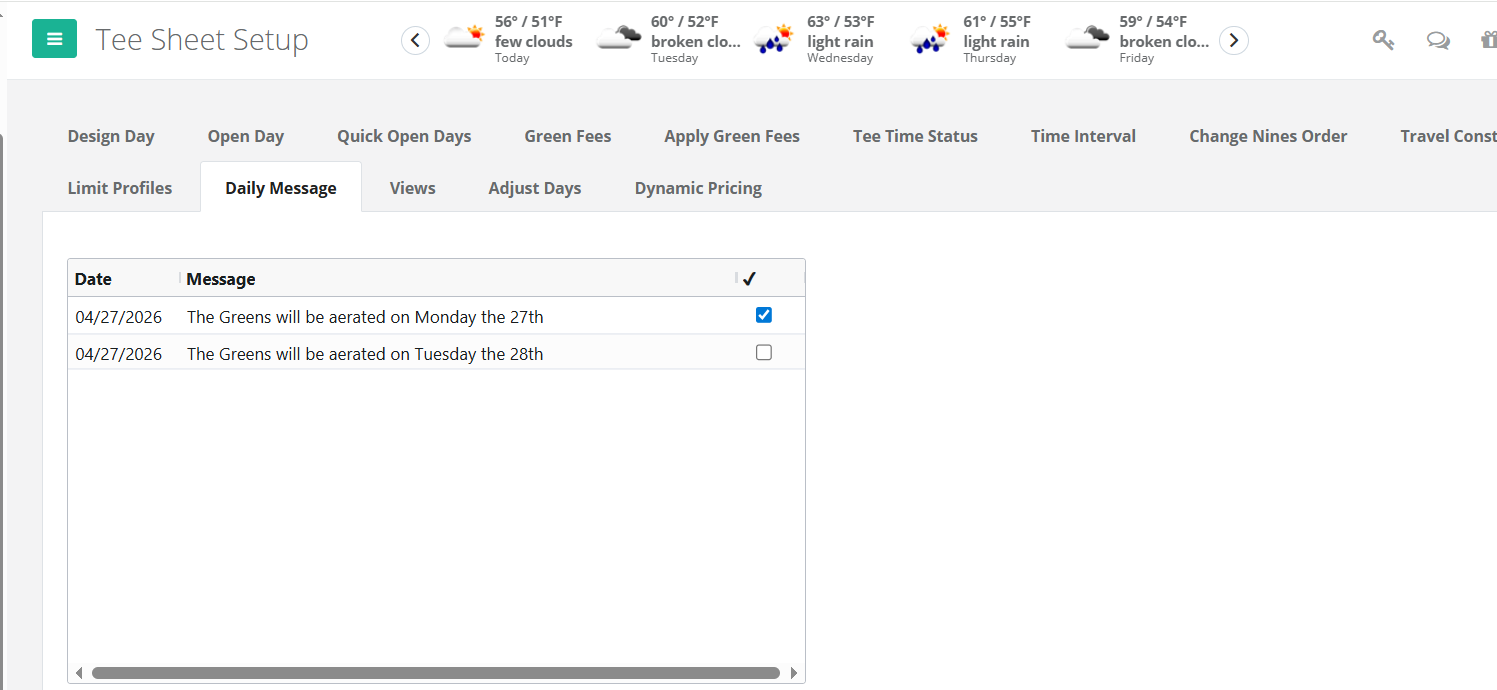
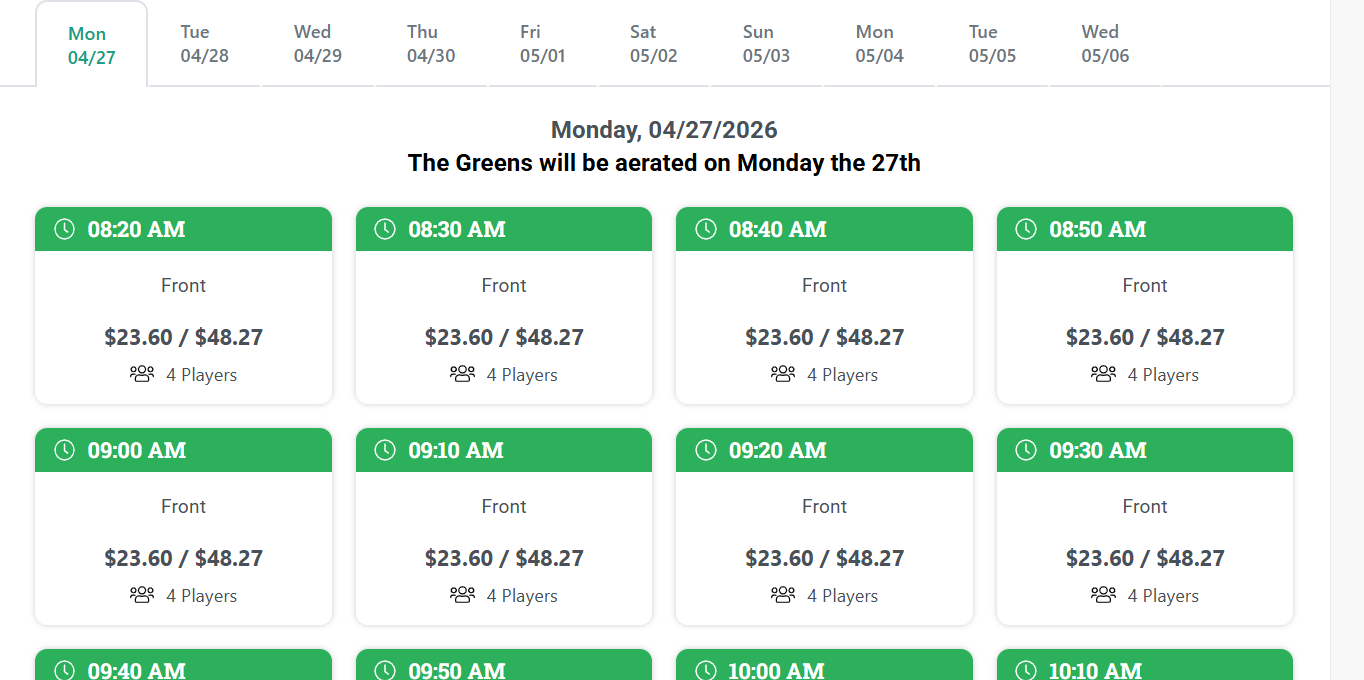
Check off Online Teesheet if you would like the message to appear on your Online Booking Engine.
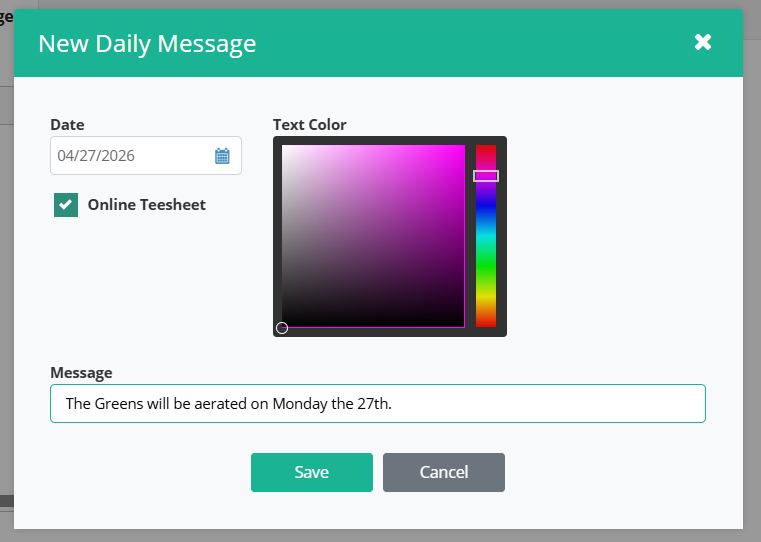
Leave the box unchecked to have the message appear on your Tee Sheet. Type your message. Save.
Was this article helpful?
That’s Great!
Thank you for your feedback
Sorry! We couldn't be helpful
Thank you for your feedback
Feedback sent
We appreciate your effort and will try to fix the article