How to sell a Membership
HOW TO SELL A MEMBERSHIP
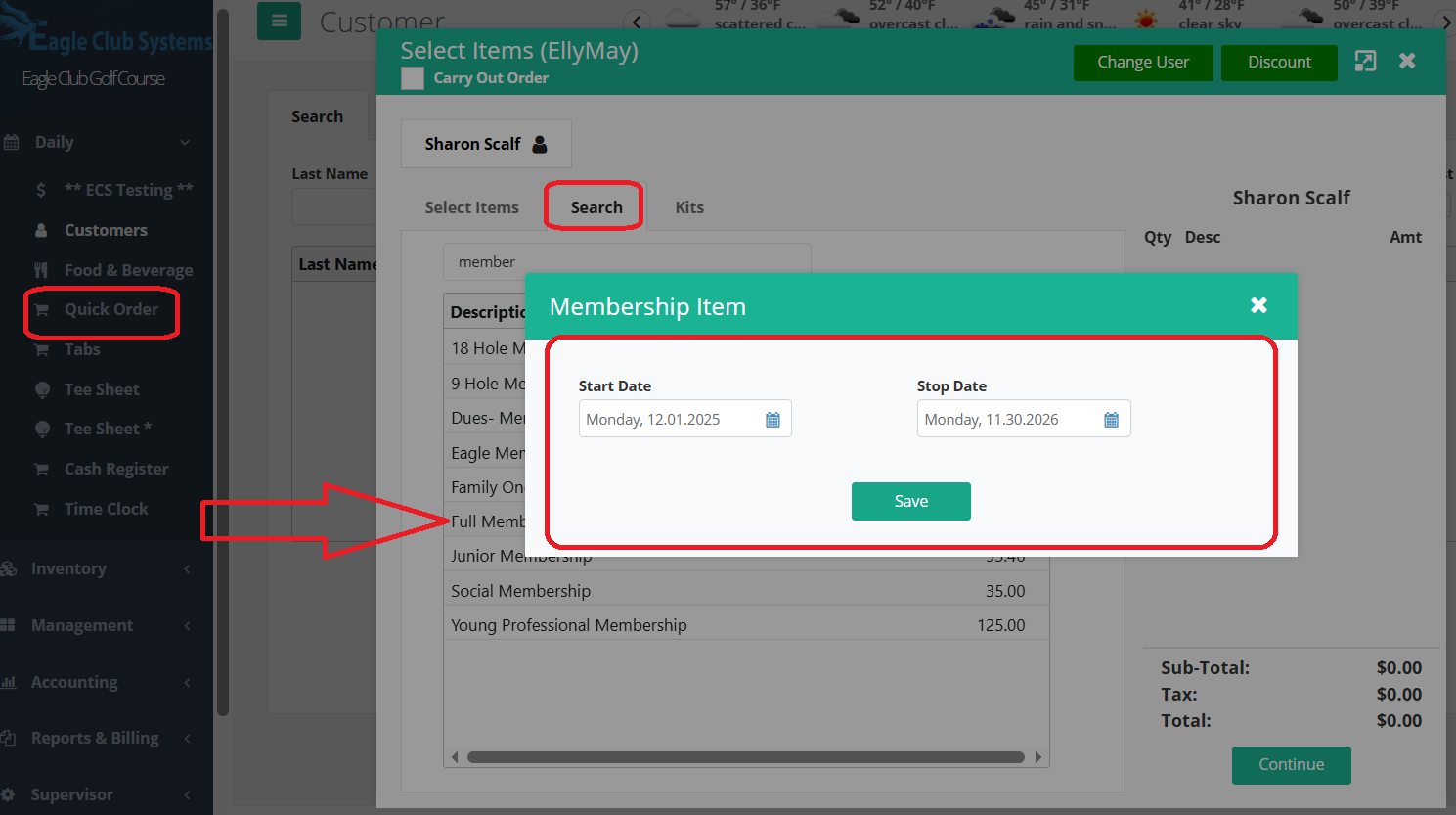
Go to quick order. Pull up the customer. Find the Membership you wish, either by searching for the item or clicking on a Memberships button.
Once you click on it, a box will appear for you to enter the start and expiration date of said membership. Press Save.
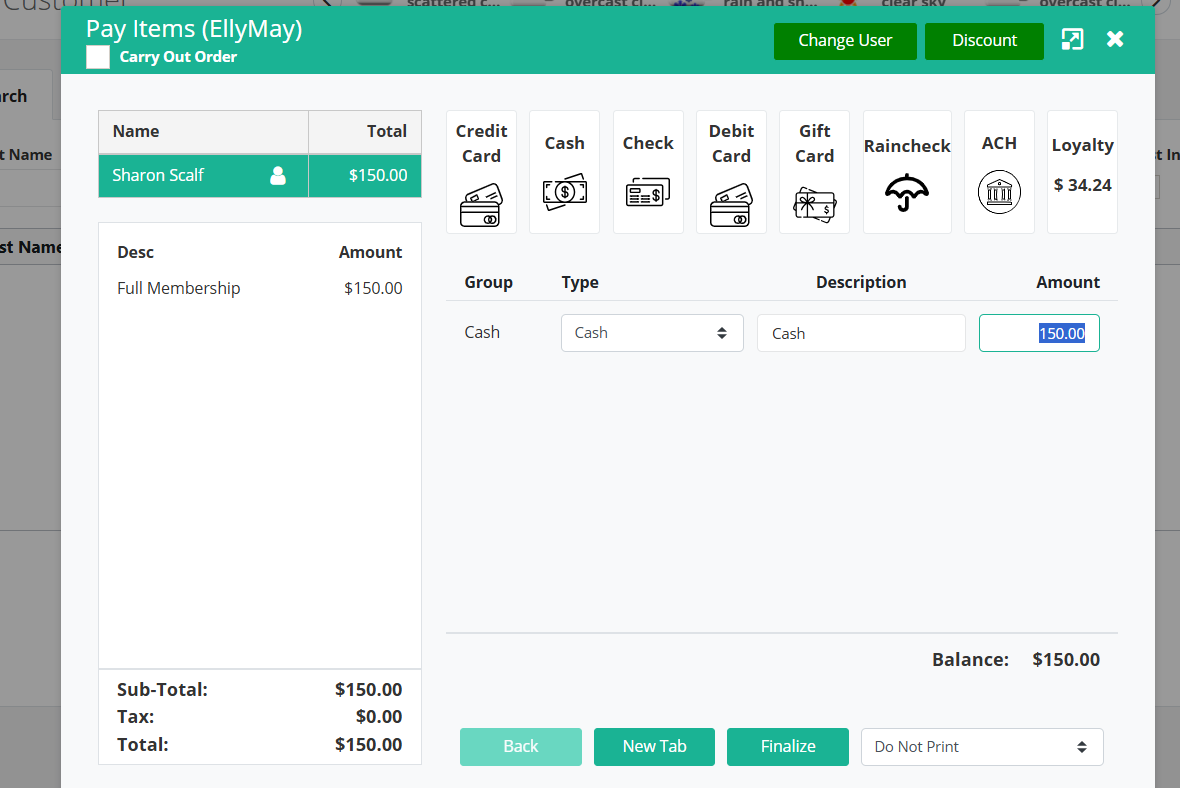
Press Continue and complete the sale, either by choosing a payment method or putting it on account.
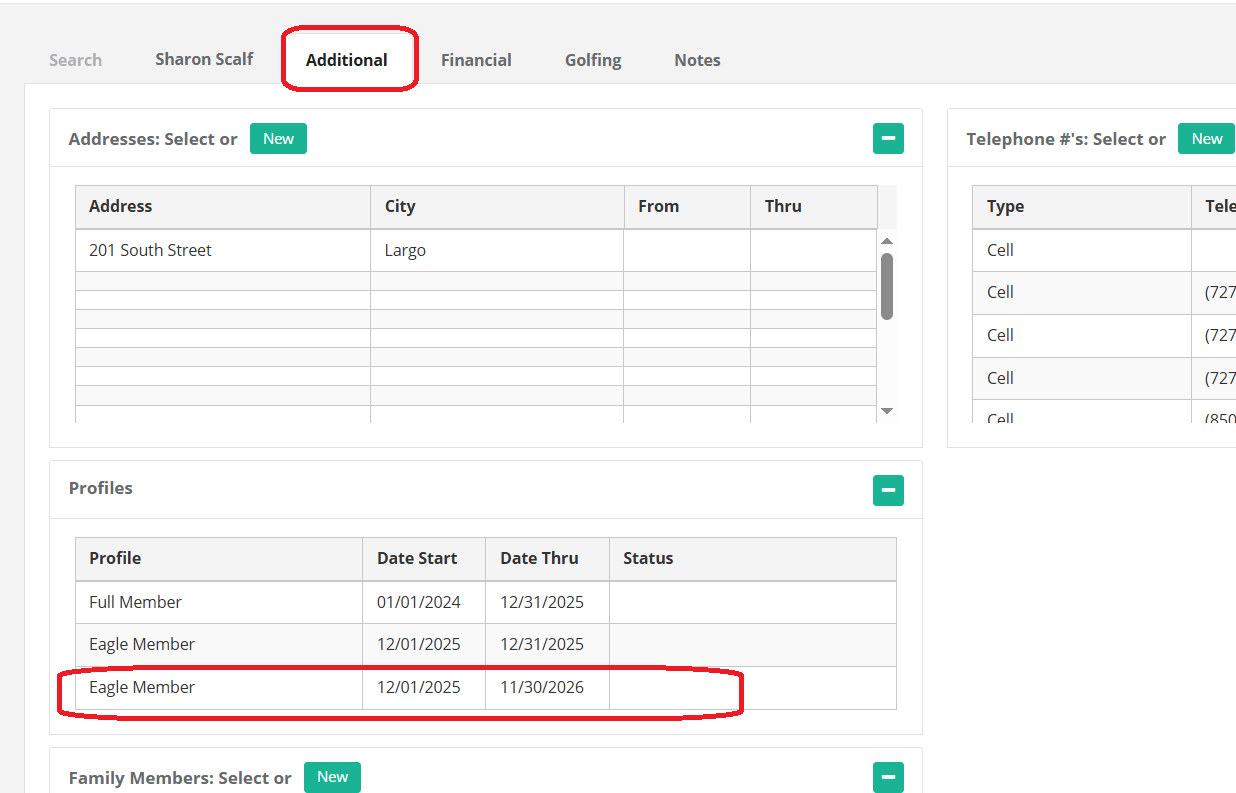
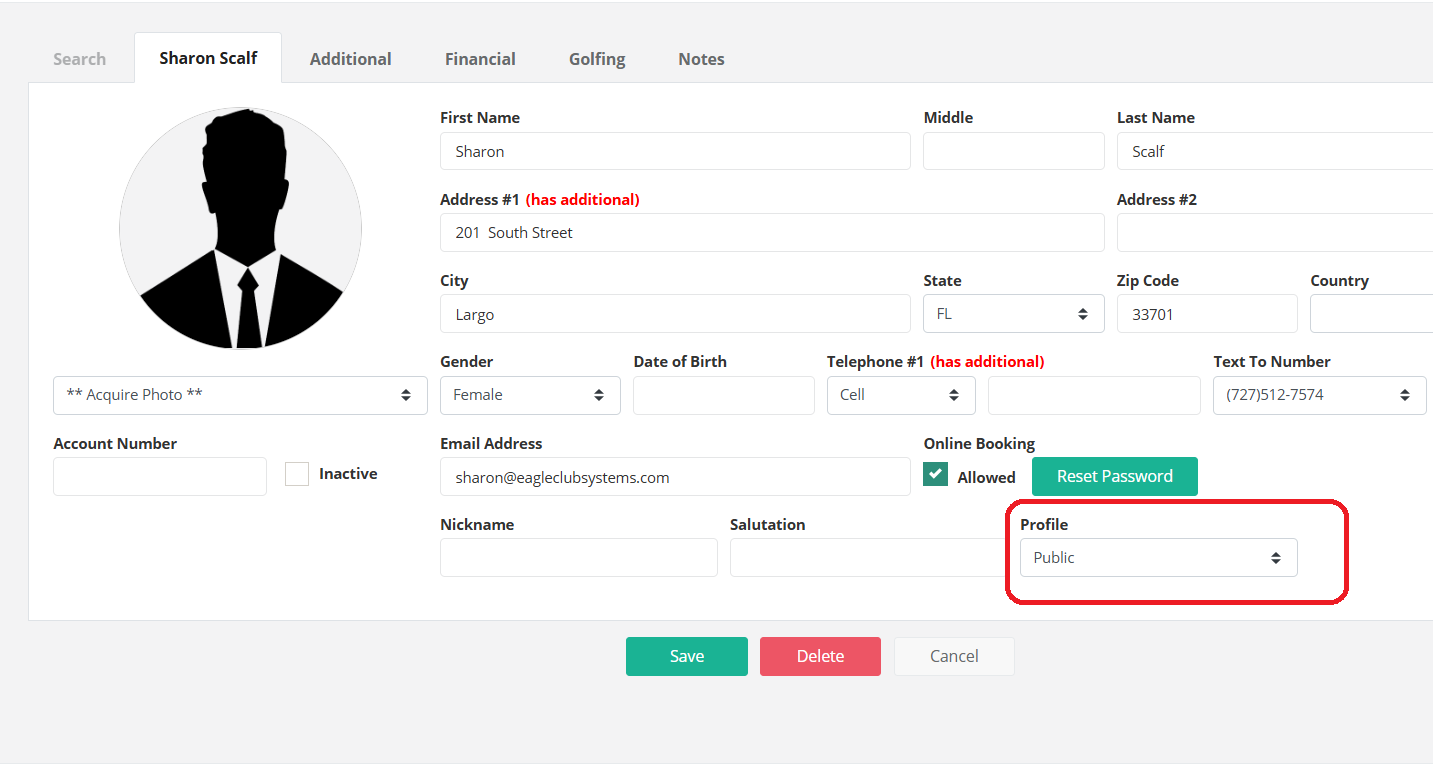
If you go into the customer, you will find the membership under the Additional Tab. Make sure on the Demographic Tab that the default profile is set to Public. (so when membership is expired they will be charged the Public rate until they renew.)
Please note -
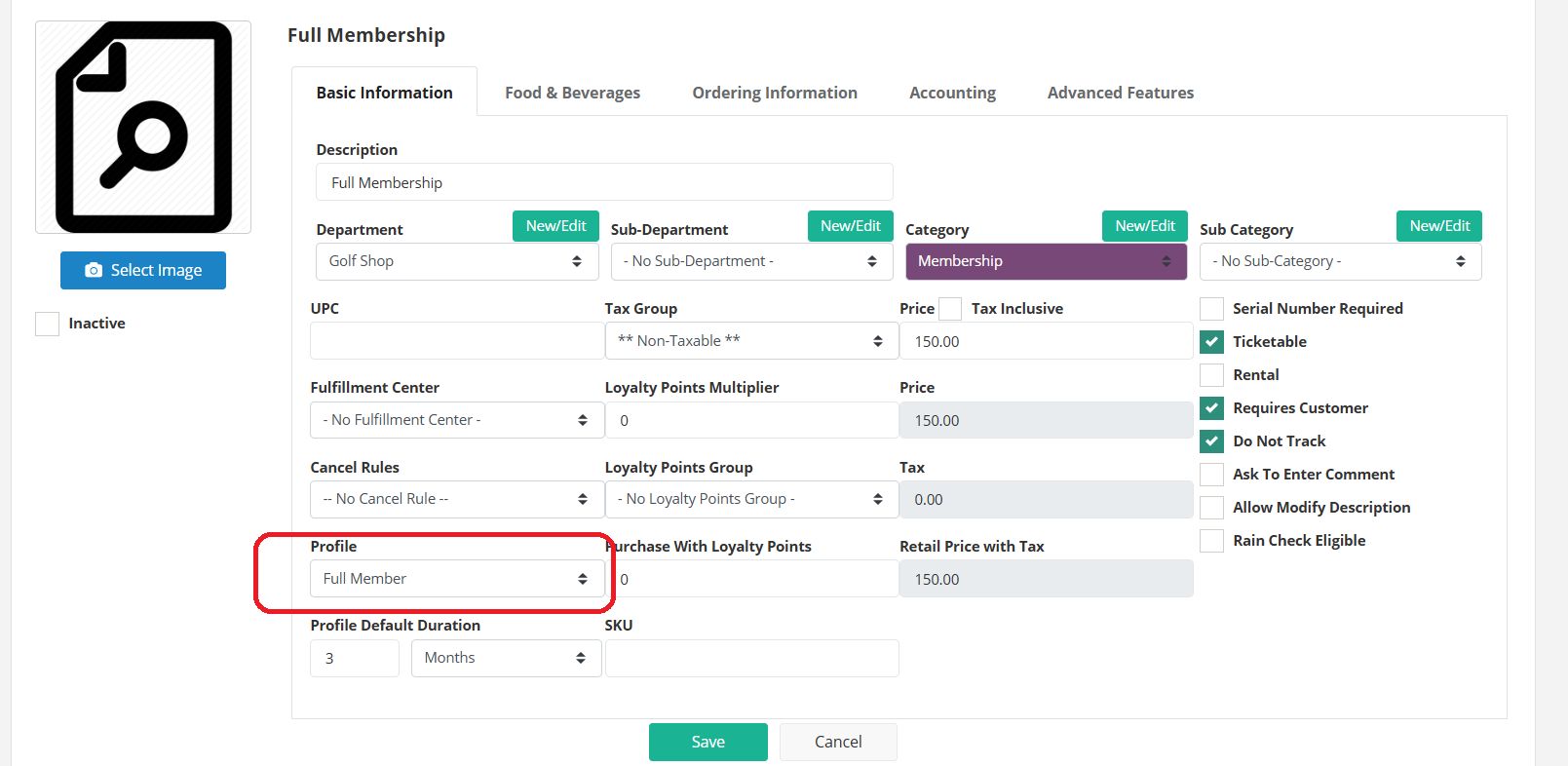
Make sure your Membership Inventory Item is setup with the Profile in the bottom left chosen. This enables the start and expiration date boxes to activate. The profile is then tied to your Tee Sheet and Online Booking through your Green Fees, under Management, Tee Sheet, Green Fees.
See article: https://eagleclubsystems.freshdesk.com/a/solutions/articles/150000042794.
Was this article helpful?
That’s Great!
Thank you for your feedback
Sorry! We couldn't be helpful
Thank you for your feedback
Feedback sent
We appreciate your effort and will try to fix the article